
Skip to content
Gakumi
Gakumi is coming to the App Store

What children learn

Thousands of math questions, from counting to calculus

Gakumi is a math practice app for children aged 4 to 13 on iPad and iPhone, where practice earns play time. Every question is written and checked ahead of time, and new ones arrive without an app update. Try a few below.

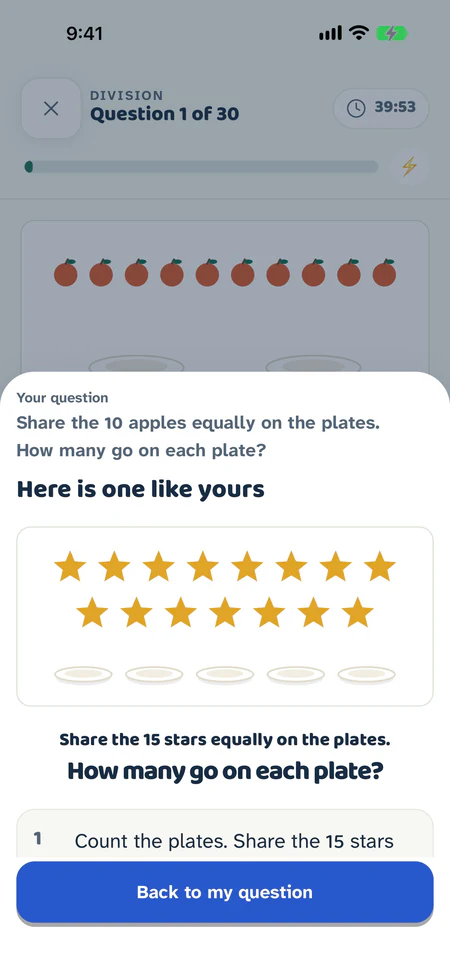
Gakumi on iPhone: a dimmed question about sharing 10 apples equally on plates sits behind a hint sheet titled "Here is one like yours" showing 15 stars above five plates, a worked step and a Back to my question button.
The real app: a hint that works through one like theirs.

0 of 8 stars

1 of 8: Which is more

Your turn. Two choices. Tap the one that is more.

  • Bonus questions turn up at question 10 and 20.
  • Boss questions finish some worksheets: a short story, solved in steps.
  • More than 200 questions with pictures, charts and graphs.

13 topics, one step at a time.

From first counting to an early look at calculus. Gakumi is practice, not a full school curriculum: a short starting test finds the right place to begin, and the worksheets go on from there.

  1. First numbers

    1 to 4
    1. 1. Counting
    2. 2. Adding to 10
    3. 3. Add & Subtract to 50
    4. 4. Multiplication
  2. Number skills

    5 to 8
    1. 5. Division
    2. 6. Fractions
    3. 7. Decimals & Percent
    4. 8. Negative Numbers
  3. Algebra and beyond

    9 to 13
    1. 9. Linear Equations
    2. 10. Simultaneous Equations
    3. 11. Quadratics
    4. 12. Trigonometry Basics
    5. 13. Intro Calculus

Inside a worksheet: help, room to think, a star at the end.

Up to 30 questions, one at a time. Here is what sits around them.

A star at the end of every sheet.

A worksheet earns gold, silver or bronze, and the result screen shows what it brought. Gold pays 20 coins and 20 play minutes by default.

  • 90% or more right: gold star
  • 70% or more right: silver star
  • 50% or more right: bronze star

Gold: +20 coins, +20 min
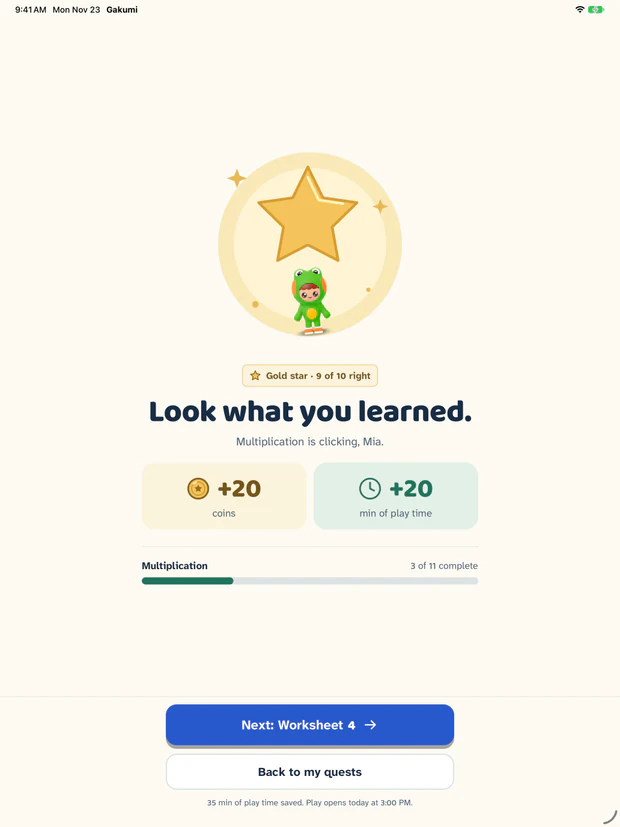
Gakumi result screen on iPad: a large gold star above a frog-costume buddy, the badge "Gold star, 9 of 10 right", the headline "Look what you learned.", rewards of +20 coins and +20 minutes of play time, and a Multiplication progress bar at 3 of 11.

Hints that show the method.

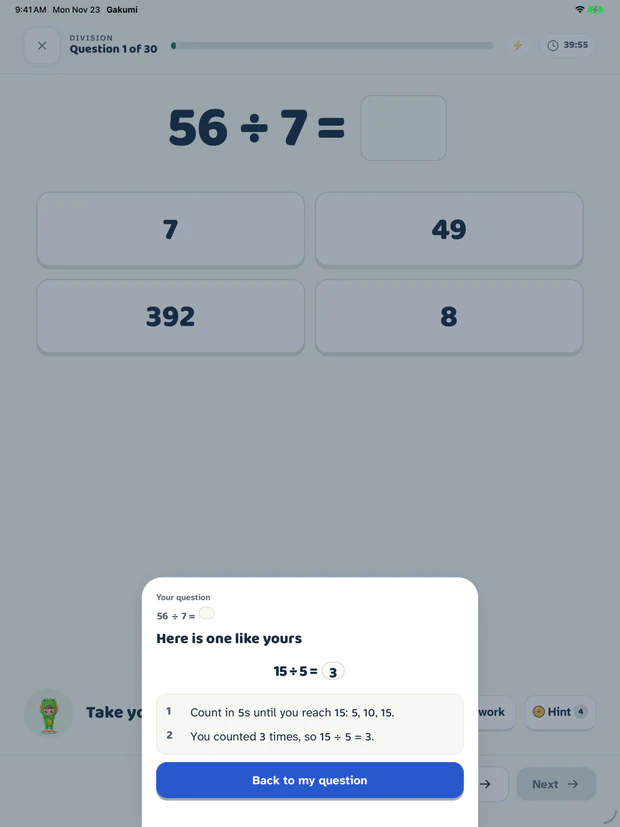
“Show an example” works through a question just like theirs, step by step, and leaves the answer to them. Another example of the same kind in that worksheet is free. Up to 5 hints a day.

  • Remove one choice: 3 coins
  • Show an example: 5 coins
Gakumi on iPad: a hint sheet titled “Here is one like yours” solves 15 ÷ 5 = 3 in two steps, with a Back to my question button.

Room to work it out.

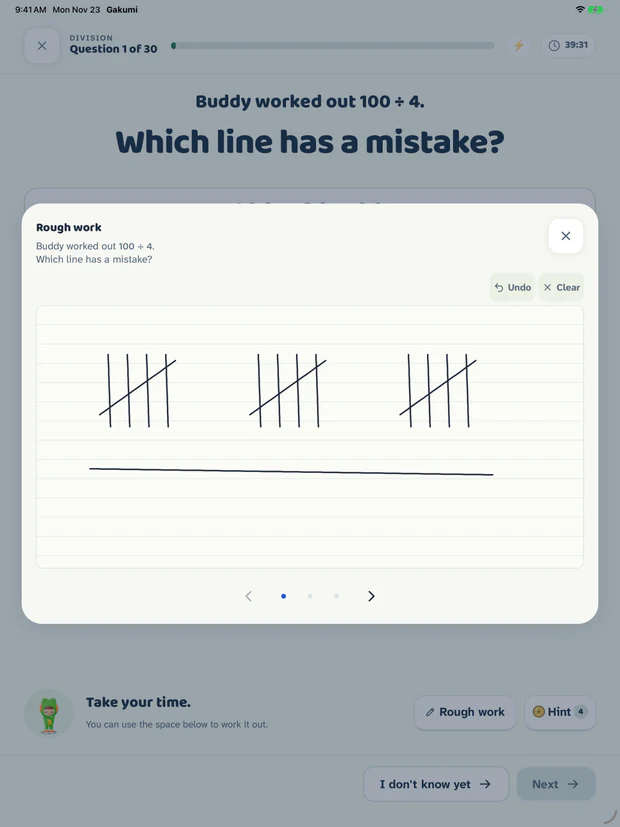
A rough-work pad sits under every question, for a finger or an Apple Pencil. With a Pencil, a resting palm is ignored and a double-tap switches to the eraser. On a typed answer, Scribble lets a Pencil write the number straight into the box.

  • Never marked
  • Never uploaded
Gakumi rough-work pad on iPad: a white sheet titled "Rough work" holds a lined page with three hand-drawn tally-mark groups and a horizontal line, with Undo and Clear buttons and page dots, over a dimmed question asking which line of the buddy's working has a mistake.

A kind start and a calm week.

A starting test of up to 30 questions begins at your child’s age, adjusts as they answer and can be paused. A wrong answer gets a calm “try again”, never red. Streaks are something to keep, not lose: “Every day has its own pace.”

An example week: learning on Tuesday, Wednesday and Thursday.3 days in a row!Daily goal: 1 worksheet12Not quite. Try again?

Learn math, earn screen time

Parents: math practice that earns play time, with you in charge, and less good cop, bad cop, more time together. Kids: your buddy is waiting for the first worksheet.

Gakumi is coming to the App StoreComing to the App Store on December 15.

Gakumi is made for iPad and iPhone. New families get their first week free.