How it works
How Gakumi works, in three steps
Gakumi is a math practice app for children aged 4 to 13 that turns practice into play time. Set it up once. After that your child practices, earns the minutes, and you don't have to be the timer anymore.
Step 1: You · set up once
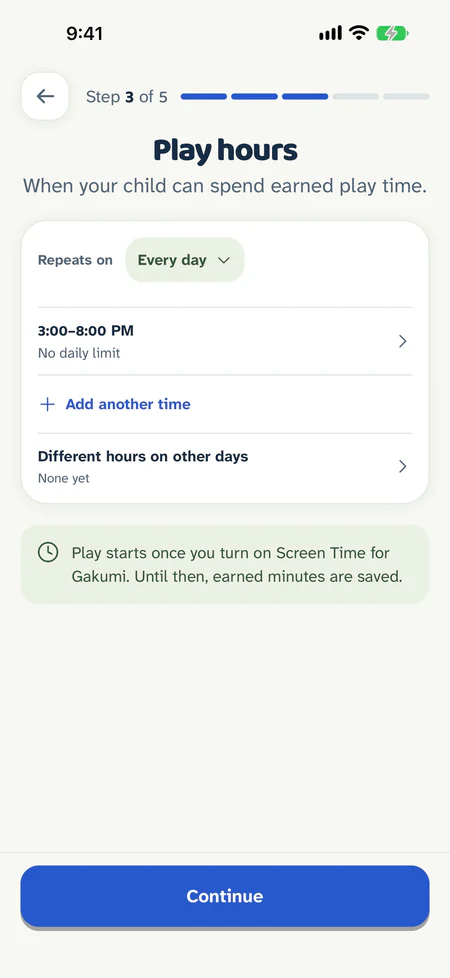
Pick the play apps and the hours.
Add your child, choose the apps that wait for play time, and set the hours they can open. Then sign in on your phone with the same parent account to connect it. No codes to type.
Locking apps uses Apple’s Screen Time. It needs your approval on your child’s device and iPadOS or iOS 18 or later.
Step 2: Your child
Do a worksheet.
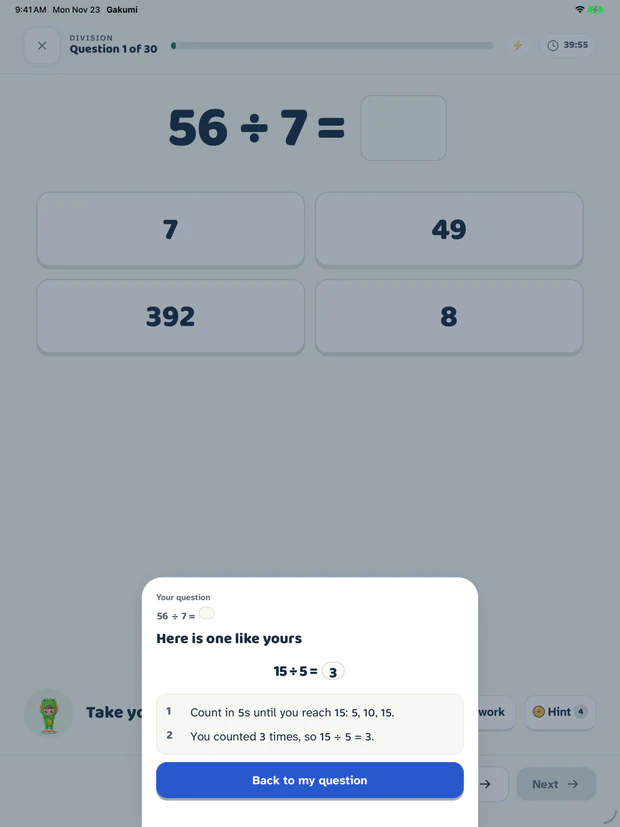
Up to 30 questions, one at a time. Right or wrong shows at once, and a wrong answer is a calm try again. Stuck? A hint shows one like theirs, worked through step by step.
Step 3: Your child
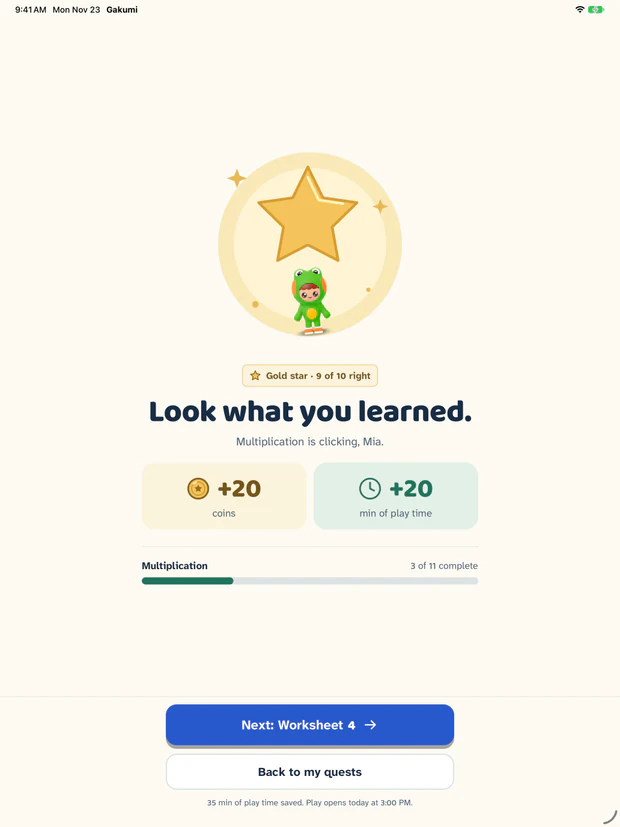
Earn the play time.
A gold, silver or bronze star brings coins and play minutes. The first worksheet of each rank opens a chest, and chores you approve add minutes too. When play time is nearly up, they get a heads-up at 5 minutes and at 1. You choose what a star is worth: the top star can be 10 to 60 minutes, and the others follow.
- Gold20 min
- Silver10 min
- Bronze5 min
iPad for kids, iPhone for parents
The same app runs on both. Children practice on the iPad, and you run the rules from your iPhone.
To run Gakumi
iPadOS or iOS 16.4 or later.
To lock apps
iPadOS or iOS 18 or later, for Apple's Screen Time.
Home Screen widget
“Gakumi Today” needs iPadOS or iOS 17 or later.
Apple Pencil
Optional. Palm rejection, double-tap or squeeze to erase, Scribble for numbers. A finger works too.
Orientation
iPad any way up. iPhone upright.
Offline
Practice works offline. Earnings sync later.
Language and platforms
English (US). iPad and iPhone only: no Android or web version.
Learn math, earn screen time
Parents: math practice that earns play time, with you in charge, and less good cop, bad cop, more time together. Kids: your buddy is waiting for the first worksheet.
 Coming to the App Store on December 15.
Gakumi is made for iPad and iPhone. New families get their first week free.